Paint Color Visualizer
Upload a photo of your room and see it repainted in real, buyable paint colors from 21 brands. Tell the color assistant a color, a feeling, or show it a picture you love. Your furniture, floor, and light stay exactly as they are.
Tap the Share iconat the bottom of Safari, then choose Add to Home Screen.
Tap a Color — the AI Repaints the Room
Try it on this room right now. Then sign in and do the same with a photo of your own room — every color is real paint you can buy in the store.
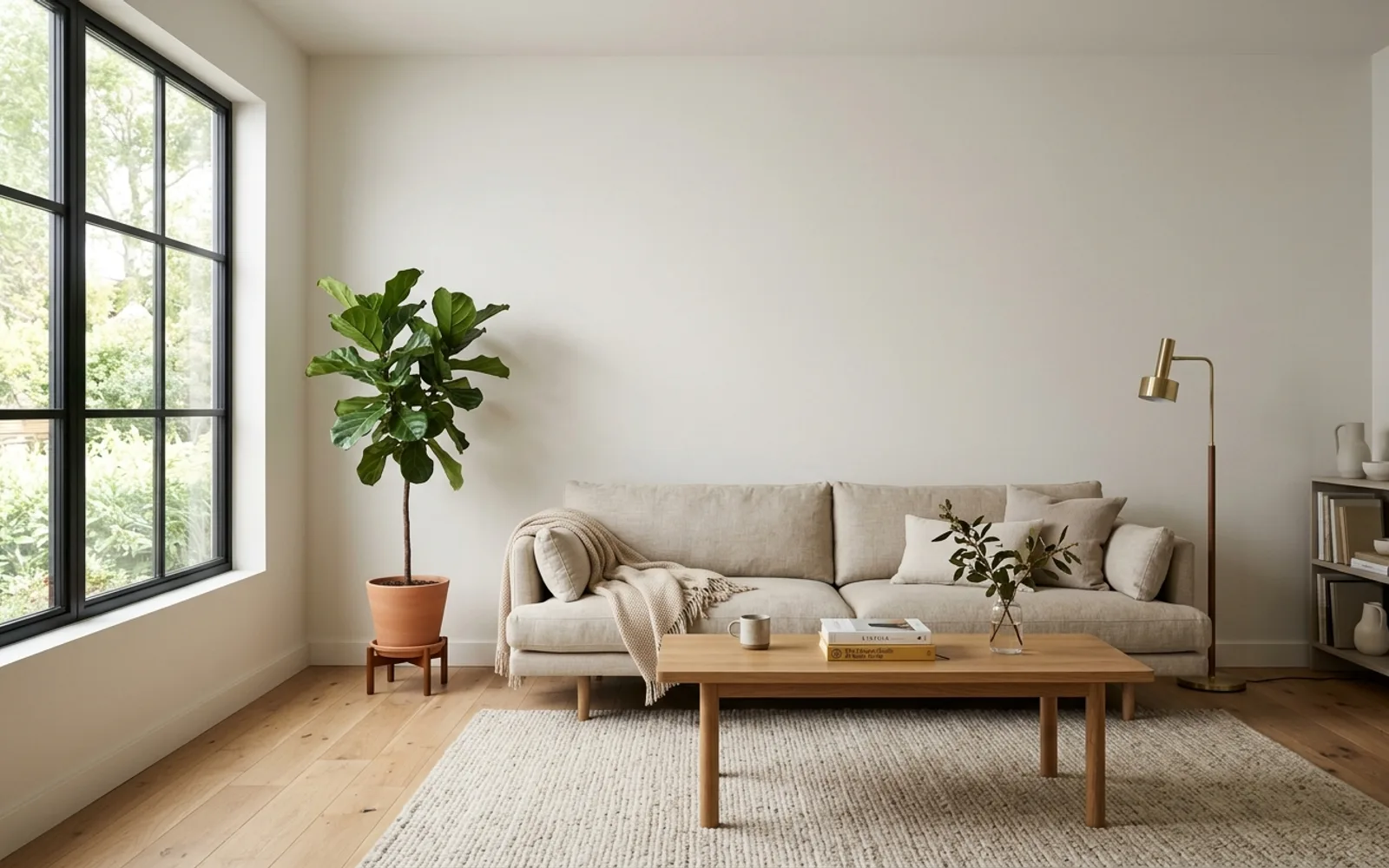
That’s a real render, not a filter. Sign in to do this with a photo of your own room — 3 free previews every day.
Continue with GoogleSign-in didn’t complete — please try again.
Free to start — 3 previews on us, every day · See plans & pricing

Jessica
color consultant
Jessica · color consultant
Free Paint Color Visualizer — See Colors on Your Own Walls
Paint chips lie. A two-inch card can't tell you how a color behaves across a twelve-foot wall, next to your floor, in your light. This paint color visualizer paints the photo of your actual room, so the preview includes the things that decide whether a color works: your furniture, your floor tone, your windows.
It's free while in beta and runs right in your browser — there's no app to download and nothing to trace by hand. Name a color or describe a mood, and the assistant repaints your walls in seconds, with the exact name and code on every shade, so any paint store can mix it while you wait.
Every Brand's Colors on One Photo — Not Just One Deck
Behr's color visualizer only shows Behr. Sherwin-Williams's only shows Sherwin-Williams. This one is different on purpose: it carries 21 real decks — around 29,000 named colors — so you can put a Sherwin-Williams greige and a Benjamin Moore greige on the same wall, in the same light, and see which one your floor and sofa actually like.
No single-brand tool can run that comparison, and it's the part that saves you money — the perfect color is often hiding in a brand you weren't even looking at. Every shade comes with its real name and code, so when you decide, any paint store can mix it on the spot.
Tell It a Color, a Feeling, or Show a Picture
If you already know the color — type it. "Show my room in Hale Navy" is enough. If you only know the feeling, say that instead: warm and cozy, fresh and airy, bold. The assistant reads your room first — the light, the floor, what's staying — and suggests palettes that fit it, not generic favorites.
Found a room you love on Pinterest? Send the picture and say "colors like this." The assistant pulls the palette out of it and matches each color to the nearest real paint you can buy.
It Reads Your Light and Finds Your Walls for You
A color is only as honest as the light it's in. The assistant reads your photo first — north-facing or sunny, warm bulbs or daylight — and shows each color the way it will actually land in your room, not under showroom lights. That's the difference between a color that reads calm and one that turns cold once it's on the wall.
You don't trace walls or tape edges, either. It finds the paintable surfaces for you and repaints only those — your furniture, floor, and windows stay exactly as you shot them.
Same Color, Morning Light and Lamplight
Most colors are chosen in daylight and regretted at night. Once a render looks right, ask to see it "in evening light with the lamps on", in soft north light, or in full sun — the assistant relights the whole room with the paint unchanged, so you catch the gray that turns blue at dusk before it's on your wall. That before-and-after is the single check paint chips can't give you.
Everything You Can Ask It to Do
The visualizer is a color assistant you talk to, so its real feature list is "what you can ask for." Here is the honest map — everything below works today:
- Find a color by describing it. By name ("Hale Navy"), by feeling ("warm but not beige"), by family and depth ("a muted, medium green"), warm or cool leaning, within one brand only — or the closest real colors to a shade you already have. Typos are fine.
- Get complete palettes, not single chips. Walls plus trim (and ceiling when it matters); for kitchens, cabinets + walls + trim; for exteriors, siding + trim + front door — each with a plain-words reason why it fits your room.
- Paint exactly the surface you point at. All walls or just one accent wall, a chair-rail two-tone split, the ceiling, sloped attic ceilings, trim, doors, siding, a bathroom vanity — even the floor or carpet when you ask — or two-tone kitchen cabinets with different uppers and lowers.
- See the same color in a different light. Ask for the room "in evening light with the lamps on", in soft morning north light, or in full afternoon sun — the paint stays exactly the same, only the light changes. It's the daylight-to-lamplight shift that surprises people after the walls are painted, and no chip or sample pot can preview it on demand.
- Pull colors from an inspiration photo. Send a picture you love and say "colors like this" — it matches each shade to the nearest real, buyable paint.
- Ask which finish to buy. Eggshell or satin, semi-gloss on trim, what holds up in a bathroom or kitchen — sheen advice per surface, like a store pro would give.
- Estimate paint and cost. Roughly how many gallons and dollars for your walls, trim, or cabinets — by room size, coats, and brand — before you're standing in the store.
- Fix a render by talking. "Keep the walls, make the trim brighter" changes only what you asked — the rest of the room stays put.
Around the chat itself: Compare flips from your original photo through every painted color, every render downloads as a labeled color card, a whole room plan exports as a PDF, and your rooms are saved to your account — sign back in and pick up where you left off. If you're a painter or designer, you can file each chat under a client or project, so every room and its exact colors stay organized per job.
How to See a Paint Color in Your Room Before You Paint
The honest way to preview a color used to be taping a chip to the wall and squinting. Here it takes about a minute:
- Take one photo of the room. Daylight, lights on, shot straight at the wall you care about. A phone photo is plenty — screenshots and listing photos work too.
- Upload it to the visualizer. No tracing, no taping edges — the assistant finds the walls, trim, and cabinets on its own.
- Name a color or a mood. "Show my room in Hale Navy," or just "warm and calm." You'll get real, buyable colors on your actual walls in seconds.
- Compare and shortlist. After a few colors, Compare starts on your original photo and flips through every look; narrow to your two favorites, then order sample pots and paint a real patch. The visualizer gets you to the shortlist; the sample makes the final call.
Visualize Any Room, Inside or Out
The same tool works on the whole house. Test wall colors in your living room,bedroom, kitchen, orbathroom; preview painted kitchen cabinetsor trim; or paint your house exterior — siding, trim, and front door together — with a house color visualizer that uses a photo of your actual home.
A Preview Narrows; a Sample Decides
Use the renders to get from "no idea" to two or three finalists. Then order sample pots of those finalists, paint a two-foot patch on the real wall, and look at it morning and evening. Photo lighting, screens, and your bulbs all shift color a little — the patch is the only preview that can't lie.
Frequently asked questions
What is a paint color visualizer?+
A paint color visualizer shows how a paint color would look on a real wall. This one works from a photo you upload: it repaints the walls in your room with real, buyable colors from every major brand, and leaves your furniture, floor, and light as they are.
Is there a free paint visualizer I can use in a browser?+
Yes — this paint color visualizer is free while in beta and runs in your browser on a phone, tablet, or computer. There is no app to download. Upload a photo, name a color or a mood, and see it on your walls in seconds.
How does the paint color visualizer work?+
Upload a photo of your room and tell the assistant what you want — a specific color like Agreeable Gray, a feeling like "warm and cozy", or an inspiration photo. It suggests real paint colors that fit your room, then repaints your photo so you can see the color on your own walls, with your furniture and lighting untouched.
Can I take a picture and change the paint color on my walls?+
Yes — that is exactly how it works. Upload a picture of your room, name a color or a mood, and the assistant repaints the walls in your photo so you can see the new color on your own walls, with your furniture, floor, and light left as they are.
Is there a free app to see paint colors in your room?+
Yes — this one is free while in beta, and there is no app to install from any app store. It runs right in your web browser on a phone, tablet, or computer: sign in with Google, upload a photo, and start trying colors on your own walls.
Are the colors real paint colors I can buy?+
Yes — every color shown is a real color from one of 21 brands (Sherwin-Williams, Benjamin Moore, Behr, and more), matched against our synced color database. Take the name and code to any paint store and they can mix it on the spot.
Does it change my furniture or floors?+
No. The visualizer only repaints paintable surfaces — walls, and trim or ceiling when you ask. Furniture, floors, windows, and decor stay as they are in your photo.
What photos work best?+
A straight-on, well-lit shot of the room with a good amount of visible wall. Daylight photos work better than dim evening shots. Avoid heavy filters.
Is the preview color-accurate?+
Treat it as a realistic preview, not a guarantee. Screens, photo lighting, and your real wall light all shift color. Use the render to narrow your shortlist, then order sample pots of the finalists and test on your actual wall.
Can I see the same paint color in different lighting?+
Yes. Once a color is on your walls, ask for the room "in evening light with the lamps on", in soft north light, or in full sun. The assistant relights the whole scene with the paint unchanged, so you can check how the color shifts from day to night — the thing that most often surprises people after painting.
What is the most accurate paint color visualizer?+
No on-screen visualizer is perfectly exact, because screens and photo light shift color. What makes this one reliable is that it works on a photo of your real room — your own light, floor, and furniture — and every color is a real shade with a name and code from one of 21 brands, not a screen-only swatch. It gets you to an honest shortlist; a sample pot on the wall makes the final call.
Is the paint color visualizer free?+
Yes — it is free while in beta, with no account fee. Sign in with Google, upload a photo, and render as many colors as you like. Renders take about 10–20 seconds each.
Do I need to download an app?+
No. It runs in your web browser on a phone, tablet, or computer — there is nothing to install. Open the page, sign in with Google, and upload your room photo.
How is this different from the Behr or Sherwin-Williams visualizer?+
Brand visualizers only show their own colors. This one is brand-neutral: it carries 21 real decks (Sherwin-Williams, Benjamin Moore, Behr, and more), so you can preview and compare colors from different brands on the same photo of your room, then take the exact code to any store.
Can I visualize exterior, cabinet, and trim colors too?+
Yes — the same tool handles exteriors (siding, trim, brick, front door), kitchen cabinets, and interior trim. Tell the assistant which surface to paint, or start from a dedicated page like the house exterior paint visualizer or the cabinet visualizer.
Sherwin-Williams · Benjamin Moore · Behr · Valspar · PPG / Glidden · Dunn-Edwards · Farrow & Ball · Magnolia Home · Clare · Backdrop · Kompozit · Dutch Boy · C2 Paint · Diamond Vogel · HGTV Home by Sherwin-Williams · Glidden · Hirshfield's · Rodda · Portola Paints · Annie Sloan · Rust-Oleum
Living room · Bedroom · Kitchen · Bathroom · Exterior · Cabinets · Trim · Brick · Siding · Front door