Best Paint Color Visualizer for 2026
Six paint visualizers tested on real rooms. Top pick: CompositePaint — real BM, SW, and Behr codes plus color recommendations from your photo. Brand apps recolor a chip. They do not tell you what to paint.

Disclosure: Some links below are app or service links. We may earn a commission if you buy paint or a subscription through them, at no extra cost to you. CompositePaint makes one of the tools in this test. It is the top pick. The brand apps still get named winners where they actually win.
Top pick: CompositePaint’s paint color visualizer. It’s ours, so I’ll say that first. It still won, including against the official brand apps.
The official tools look current because the logos are current. The software is not. Benjamin Moore’s Personal Color Viewer is a desktop web tool that makes you outline walls by hand and does not support mobile browsers. ColorSnap’s photo upload still needs a brush-and-eraser on real photos. Behr’s ColorSmart Android app left Google Play in 2024. Valspar’s old Virtual Painter is a discontinued CD-ROM listing on Lowes.com. We carry the same real BM, SW, and Behr codes those apps show, find the walls for you, run on a phone, and will tell you when another brand has the closer color. That is not a tie.
The other gap: brand apps do not recommend. They hand you a fan deck and a recolor tool. CompositePaint reads the photo and suggests colors that fit that room’s light, floor, and what is staying, as a full palette (walls plus trim, or siding plus door), with a why. You can also type a feeling, send an inspiration picture, ask for evening light, or ask which sheen belongs in a bathroom. ColorSnap cannot do that. It shows you Agreeable Gray and stops.
ColorSnap Instant Paint is the one trick we do not match: live camera AR while you walk the room. Fun. Not how you shortlist a color you are going to buy. For a house rather than a room, start on the exterior visualizer.
A recommendation is still a shortlist, not a gallon. Get to two finalists on the screen. The sample pot on the actual wall does the rest.
What a Paint Color Visualizer Is For (and What It Isn’t)
A visualizer answers one question well: roughly how does this color feel on a wall the size of mine? That’s worth a lot. It saves you from buying four sample pots when you only needed two. It kills the colors that look great on a 2-inch chip and wrong at room scale.
What it can’t do is tell you the true color. Your screen is calibrated warm or cool. The room’s daylight, the 2700K bulb in the lamp, the camera’s auto-exposure all shift every preview. I watched the same Benjamin Moore greige read taupe in the south-facing living room and nearly lavender in the windowless hallway, in the same tool, in the same five minutes. That isn’t a flaw. That’s what light does to color, and no screen reproduces it.
Treat every tool on this list as a shortlisting tool. Get to two finalists on the screen. Then brush a real sample, check it morning and night, and decide on the wall.
How I Tested
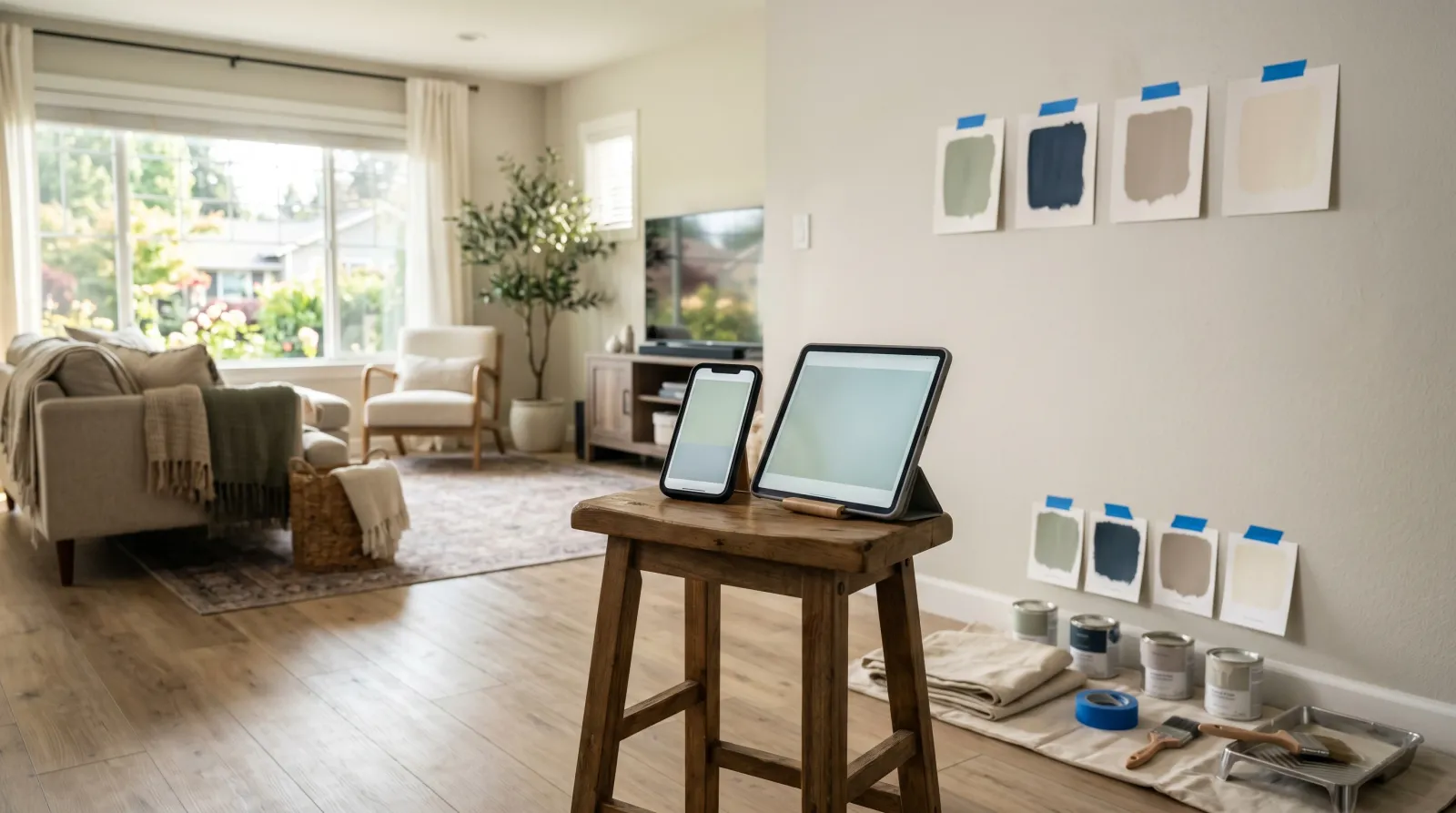
Same three spaces, same four colors. A north-facing bedroom that goes cool in the afternoon. A south-facing living room with big windows that floods with warm light. A windowless hallway lit only by 2700K LED. Three rooms that punish a color visualizer in three different ways.
Each tool previewed the same four colors on the same walls: an off-white, a mid greige, a deep navy, and a warm sage. For the five apps I brushed real sample pots of those exact colors on the same walls, let them dry, and compared the app render to the dried sample under both daylight and warm LED. Twelve wall-and-color combinations per app. CompositePaint ran on the same three rooms and the same four colors. I scored it on masking (did it paint the wall and leave the sofa), whether the result was a real buyable code, and whether a person who hasn’t picked a brand yet can actually finish.
Four things got scored. The homeowner job: can you start without picking a brand. Color accuracy: how close the preview landed to the dried sample. Masking: how cleanly it painted only the wall. Library: real codes, and whether you can compare brands on one photo.
I’m a tester, not a colorist. The point wasn’t the prettiest interface. It was which visualizer gets you closest to a decision you won’t regret once the gallon is open.
Tools I Tried and Cut
A few didn’t make the list.
- Dulux Visualizer. Strong real-time AR, but the color library is Dulux, which isn’t sold through normal US retail channels. Great app, wrong country.
- Houzz “View in My Room.” Excellent for placing furniture in AR. It’s a shopping tool, not a paint visualizer; paint isn’t its job.
- Generic “paint color” apps on the App Store. A pile of them carry no real brand codes, so the color you fall for isn’t a color you can buy. Skipped on principle.
How to Choose a Paint Color Visualizer
Skip the App Store
Start on the web. CompositePaint runs on the phone in your pocket, uses the same real brand codes as the official tools, and does not make you download ColorSnap to see Agreeable Gray or Color Portfolio to see Hale Navy. The brand apps exist to sell that brand’s paint. They have not been rebuilt for how people actually shortlist color in 2026.
Already Buy One Brand? Still start here
The codes are the same. Hale Navy in CompositePaint is Hale Navy. Agreeable Gray is Agreeable Gray. What the official app will not do is put that color next to the nearer twin from another deck, on your photo, in your light. What several of them still do is make you trace the wall, tidy the bleed with an eraser, or sit at a desktop. Loyalty to a store is not a reason to use worse software.
Masking: we find the walls. Most brand tools still don’t.
A visualizer lives or dies on masking. Bad masking bleeds onto the baseboard, the ceiling, the couch. CompositePaint finds the paintable surfaces from the photo. Benjamin Moore’s Color Portfolio is the cleanest of the native apps when you tap a wall. Personal Color Viewer, the BM web tool, still makes you outline up to five surfaces by hand. ColorSnap’s photo mode wants a brush and eraser. Behr’s fill bleeds on texture. Dutch Boy’s official tool is hand-tracing. That is not “best if you already buy the brand.” That is old workflow.
Color recommendations. Brand apps do not have them.
This is the feature the official tools skipped and never added. ColorSnap and Color Portfolio assume you already know the color. You tap a chip, they recolor the wall. If you do not know the color, they have nothing for you.
CompositePaint reads the room first. Light direction, floor tone, furniture that stays. Then it recommends real paints that fit that room, not a generic top ten. Palettes, not single chips: walls plus trim (and ceiling when it matters); kitchen cabinets plus walls plus trim; exterior siding plus trim plus front door. Each color comes with a plain-words why. Type “warm but not beige” or “calm, not gray” and it picks from 21 decks. Send a picture you like and it names the nearest buyable paints. Ask to see the same color in evening lamplight. Ask what sheen survives a bathroom. Ask for a gallon count.
None of the brand apps in this test do that. They are chip browsers with a paint bucket.
Color Library and Photo Matching
CompositePaint carries 21 synced decks and will match an inspiration photo to the nearest real paints across them. Brand apps match a photo only into their own chip. Lighting in the source photo still means you confirm with a sample. The difference is you are not stuck inside one store’s answer, and you are not stuck picking the color yourself from a wall of chips.
At a Glance
| Tool | Best for | Color library | Live AR | Price |
|---|---|---|---|---|
| CompositePaint Visualizer | Best overall: recommends colors from your photo, any brand | 21 brands, real codes | No (photo render) | Free |
| Benjamin Moore Color Portfolio | Official BM app. Web tool is desktop-only and you trace walls. | Benjamin Moore | Yes (video) | Free |
| Sherwin-Williams ColorSnap | Only live camera AR. Photo upload still needs an eraser. | Sherwin-Williams (~1,500) | Yes (Instant Paint) | Free |
| Behr ColorSmart | Official Behr web tool. Android app left Play in 2024. | Behr | No (photo upload) | Free |
| Paint my Room | Reproduced multi-brand phone app | Multi-brand | Yes (camera) | Free + paid |
| Remodel AI | Whole-room redesign, not a paint code | Generic / any color | No (AI render) | Free tier + paid |
1. CompositePaint Paint Color Visualizer, Best Overall
The one I’d send anyone with a photo of the room. Including people who already buy Benjamin Moore, Sherwin-Williams, or Behr.
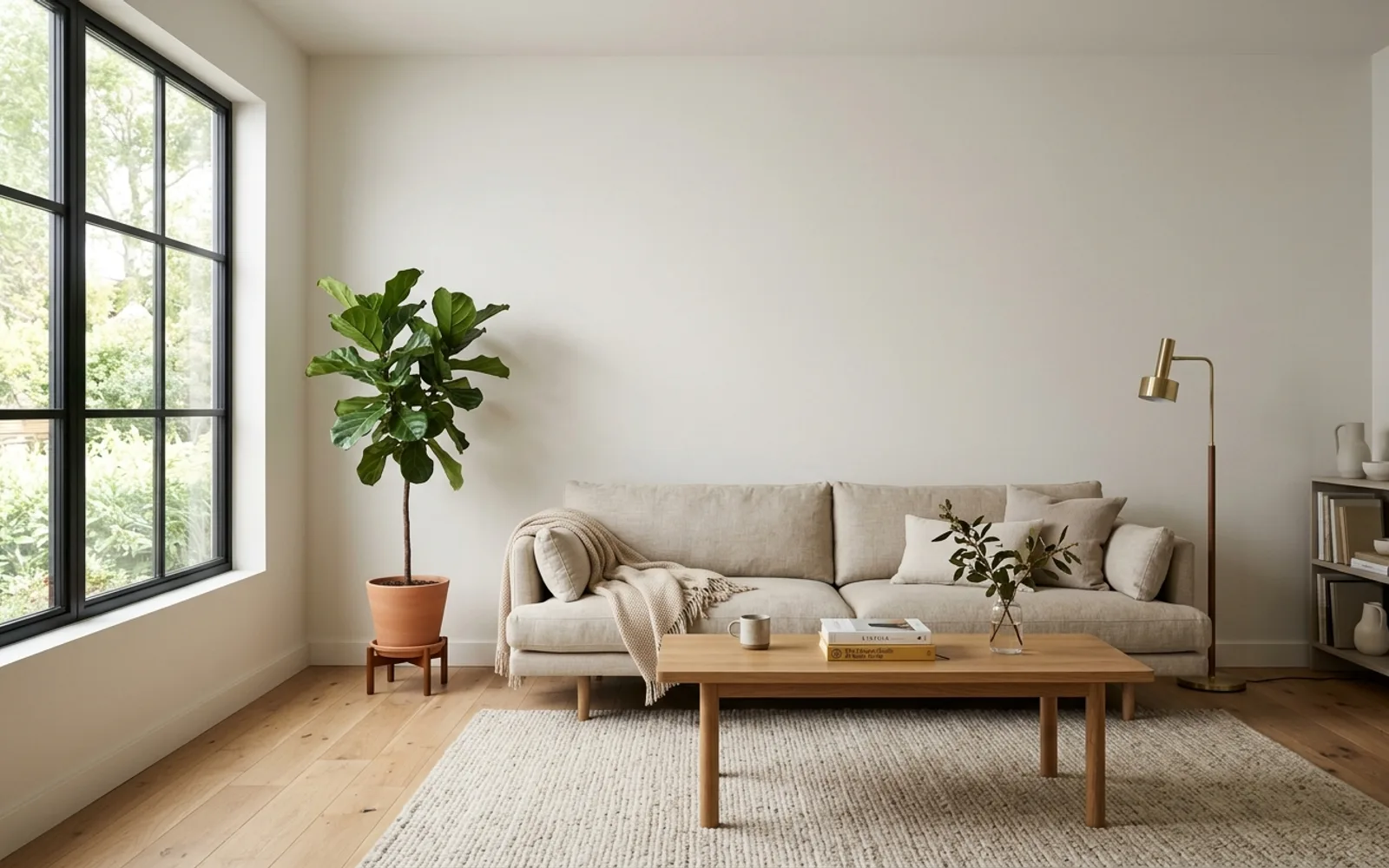
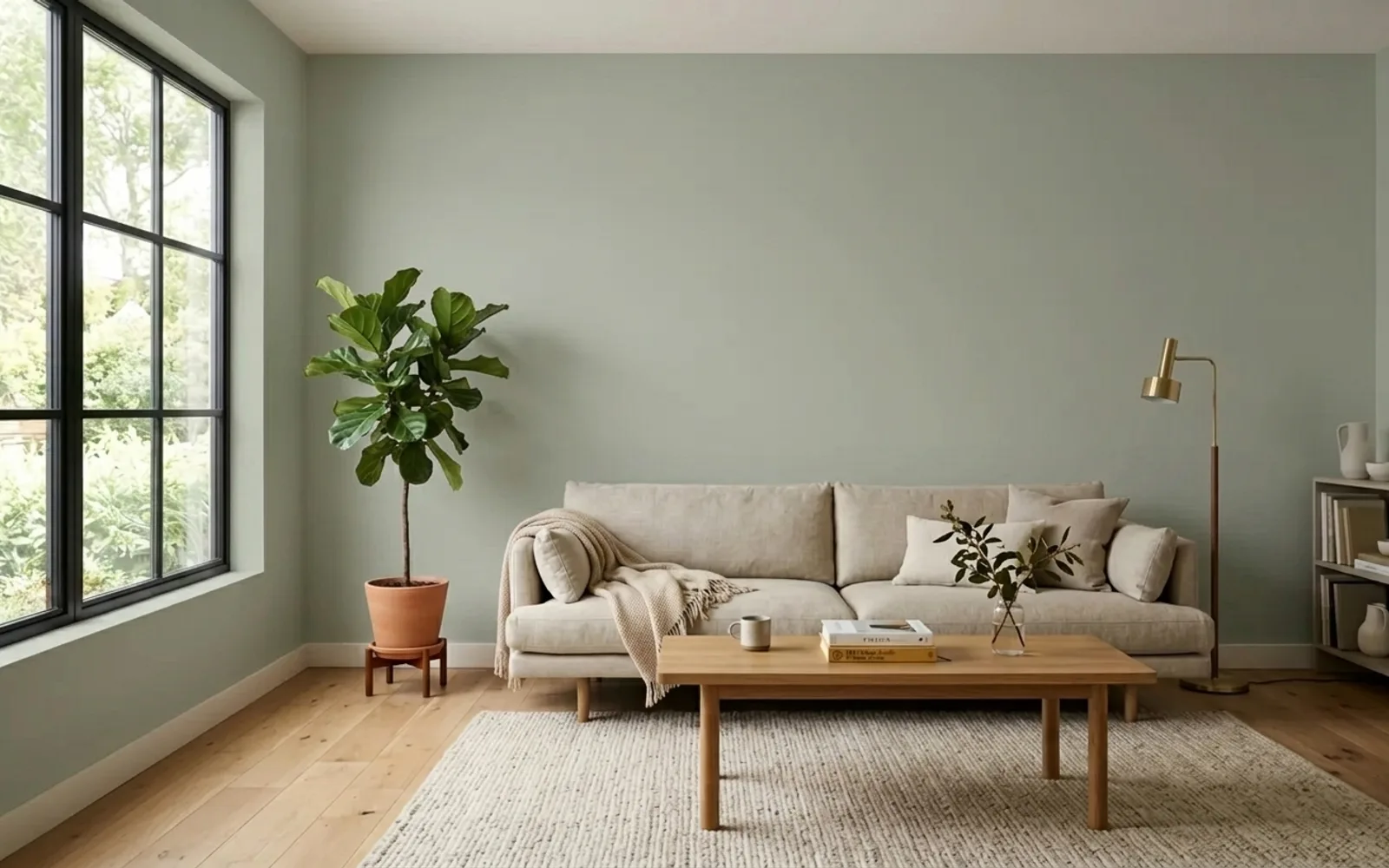
Open the visualizer in a browser, sign in with Google, upload the photo. You do not have to name a color. Say the feeling (“warm, not beige”), or say nothing and let it read the room. It recommends real paints that fit your light, your floor, and what is staying, then paints them on the photo. Furniture and floor stay put. Every shade is a real name and code from a synced brand deck. Hale Navy is Hale Navy. Agreeable Gray is Agreeable Gray. Take the code to any store.
The recommendation is a palette, not a lonely chip. Walls plus trim, with a why. Kitchen: cabinets plus walls plus trim. House: siding plus trim plus door. Two-tone cabinets, an accent wall, a chair-rail split. Ask for the same color in evening light. Ask which sheen belongs in a bathroom. Ask how many gallons. “Keep the walls, brighten the trim” changes only that. Brand apps have a bucket tool. They do not have a color consultant.
The brand apps are not a more accurate version of this. They are an older version, locked to one logo, with no recommendations. Color Portfolio will not show a Sherwin-Williams color. ColorSnap will not show a Benjamin Moore color. Personal Color Viewer, BM’s official web tool, does not support mobile browsers and you outline up to five surfaces by hand. ColorSnap’s photo upload is brush-and-eraser. Behr’s Android app is gone. We find the walls, we run on a phone, and we will tell you when another brand has the closer color on the same photo.
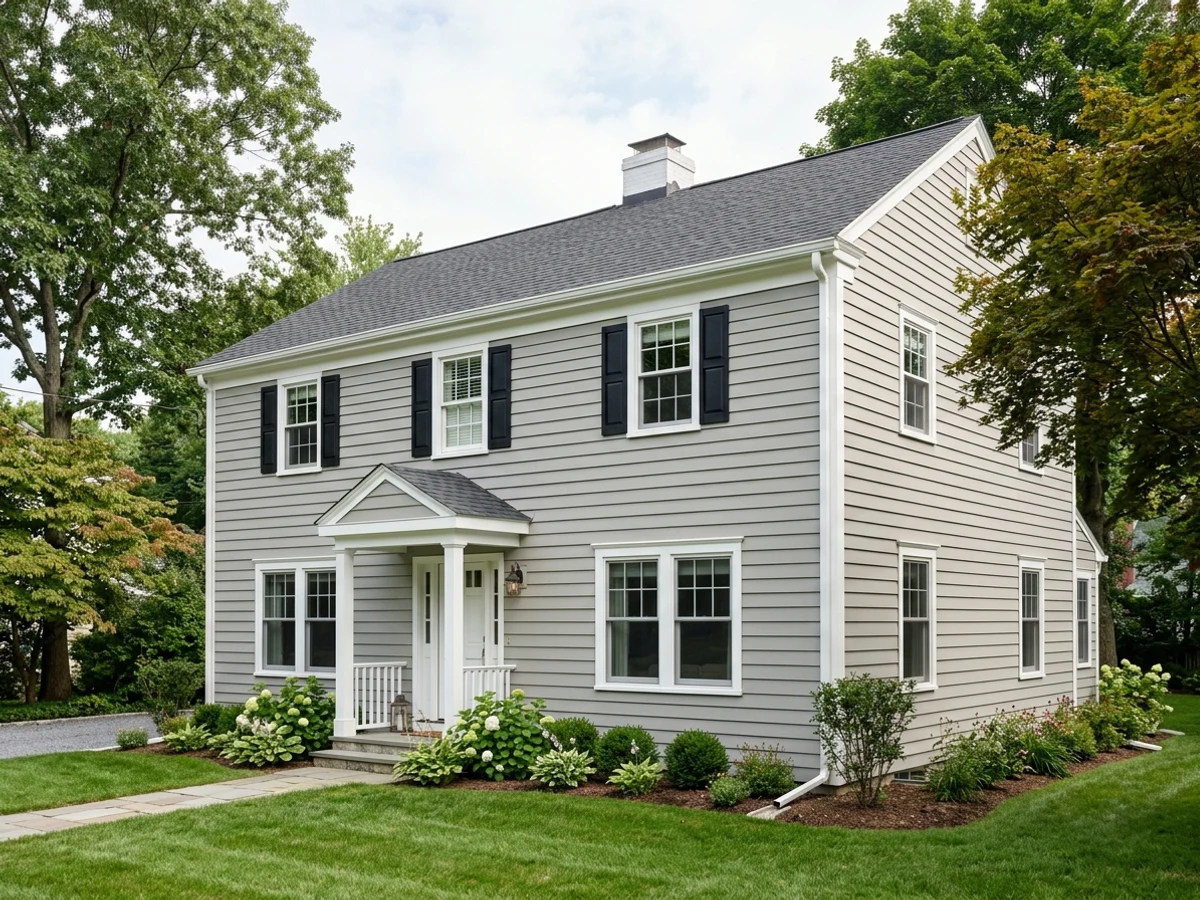
Same tool for kitchen cabinets, trim, and the house exterior.
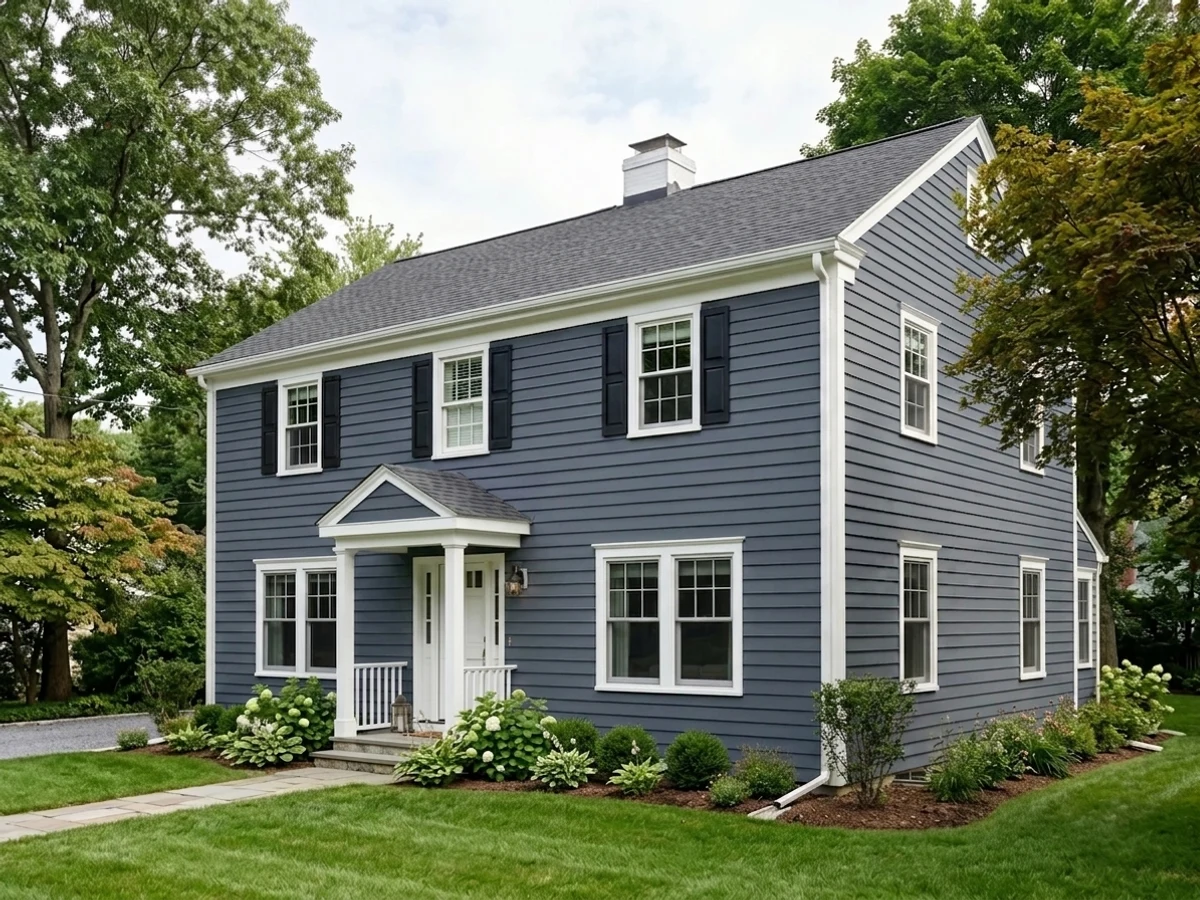
The trade-off is honest. This is not live camera AR. Each render takes a few seconds. You sign in with Google. And it’s our product, so read the brand notes below. The notes are why they lost, not why you should download them anyway.
| Spec | Value |
|---|---|
| Color library | 21 brands, real names and codes |
| Visualize modes | Photo upload, color recommendations, palettes, inspiration match, relight |
| Surfaces | Walls, cabinets, trim, exterior, brick, doors |
| Platform | Browser on phone, tablet, or computer. No app. |
| Price | Free while in beta |
Use it if: you want to see real paint colors on a photo of your room. That includes if you already buy one brand. Skip it if: you specifically want ColorSnap’s live camera AR as you walk around. That is the one thing we do not do.
2. Benjamin Moore Color Portfolio, Official BM App
This is the cleanest native app I tested, which is not the same as the best visualizer.
Tap a wall in Color Portfolio’s photo mode and it paints the wall, not the trim and not the sofa arm, with less bleed than ColorSnap or Behr. On twelve wall-and-color combinations, the on-wall preview landed closest to the dried sample nine times. Color Capture, point the camera at a pillow or a tile, returns a real BM code.
Then look at the rest of Benjamin Moore’s stack. Personal Color Viewer, the official web tool, is the one BM itself says does not support mobile browsers. You sign into a BM account, you outline up to five paintable surfaces by hand, and you sit at a desktop. That is 2016 software with a 2026 logo. Color Portfolio’s AR video still drifts on textured drywall. And the whole thing is Benjamin Moore only. Want to know if White Dove or a Sherwin-Williams white is closer in your north light? The app cannot answer.
CompositePaint carries the full BM deck. Same names, same codes. Walls found for you, on a phone, plus the nearer SW and Behr whites on the same photo. If you buy Benjamin Moore, you do not need their app to preview Benjamin Moore.
| Spec | Value |
|---|---|
| Color library | Benjamin Moore, full deck |
| Visualize modes | Photo, AR video, Color Capture match |
| Platform | iOS 13+, iPadOS, Android 7.1+ |
| Price | Free |
Use it if: you want a Benjamin Moore-only App Store download. That is a narrow case. Skip it if: you have a photo of the room. Use CompositePaint. Same BM codes, no tracing, every other brand on the same wall.
3. Sherwin-Williams ColorSnap Visualizer, Live AR Only
ColorSnap Instant Paint is still the party trick. Stand in the living room, pan the phone, watch the walls change. Nothing else here does live camera AR at that level. If that is the demo you want, download it.
It is not a better visualizer. The photo-upload path, the one you actually use to shortlist, is hit-or-miss on real photos. You tidy edges with a brush and eraser. It cannot tell you that Agreeable Gray flashes green in cool north light, or that Accessible Beige holds warmer, or which trim white belongs next to it. It shows the chip. It sells Sherwin-Williams. About 1,500 SW colors, no Benjamin Moore, no Behr.
Live AR also falls apart where you need it. Windowless hallway, warm LED: noisy, shimmering. Glossy or heavy shadow: it wobbles. Use AR to get a feel if you like toys. Confirm the color on a still photo, or on a sample.
CompositePaint uses the same real SW codes ColorSnap does. No eraser. Ask the question ColorSnap will never answer: is there a closer color that is not Sherwin-Williams.
Use it if: you specifically want live AR as you walk the room. Skip it if: you want to see Sherwin-Williams colors on a photo of your house or room. That is CompositePaint, including the exterior.
4. Behr ColorSmart / Paint Your Place, Official and Stalled
ColorSmart is the platform name. Paint Your Place is the upload-a-photo feature. Two names, one old tool.
The ColorSmart Android app left Google Play in 2024. Reviews of what remains are rough. The web version is where it still works: upload a photo, auto-detect walls, tap Behr colors. Free, no account to try. Dynasty and Marquee are in there, and every color is a Behr code you can buy at Home Depot tomorrow.
Then the edges. Fill bleeds onto trim, ceilings, and furniture on textured walls. You draw to tidy what it missed. The web preview ran more saturated than the dried paint in my test; the greige read bolder on screen than on the wall. And it will never tell you Sherwin-Williams or Benjamin Moore has a closer color to what you are picturing.
If you buy Behr, you still do not need Behr’s visualizer. CompositePaint carries the Behr deck. Same codes. Cleaner edges. Everyone else on the same photo.
Use it if: you want to click around on behr.com and stay inside Behr. Skip it if: you have a photo and a Home Depot trip planned. Preview the Behr color in CompositePaint next to the SW and BM versions, then buy the winner at the store.
5. Paint my Room, Best Phone App If You Won’t Use a Browser
Paint my Room carries colors from Benjamin Moore, Sherwin-Williams, Behr, Valspar, Glidden, and more in a single library, with a live camera preview and a photo-match tool. It’s the mobile-app version of the cross-brand job. It put a Benjamin Moore navy and a Sherwin-Williams navy on the same wall, back to back.
The trade-off is in the data. The colors are reproduced into the app, not pulled live from each brand’s own color engine, so an individual shade can read a little off compared to a synced brand deck. The free tier nags toward an upgrade, and the camera-feed masking is loose rather than precise. If you’re already in a browser, CompositePaint does this job without the upgrade nag and with synced decks instead of reproduced ones.
Use it if: you want a phone-app camera preview across brands and you won’t open a website. Skip it if: a browser is fine. Use CompositePaint.
6. Remodel AI, Best for Whole-Room Redesign
Different category, different rules. Remodel AI doesn’t mask a wall and paint it. It takes your room photo and regenerates the whole scene with the new wall color baked in, in about ten seconds. Because it rebuilds the image, it handles tricky lighting and whole-room context in a way the AR apps can’t, and it can show paint plus a redesign at once if you want to picture new furniture against the color.
That generative approach is the strength and the catch. It can invent details that aren’t in your room and shift the exact hue while it’s at it. The navy I fed it came back a slightly different navy. Treat the output as a mood board, a feel for the direction, not a color proof. The free tier caps you at a handful of renders, and the result isn’t tied to a buyable paint code, so you still have to match the look back to a real color afterward.
Use it if: you want to see the room reimagined, not just a flat color swap, and you’ll confirm the actual color elsewhere. Free tier, then paid.
Common Mistakes
- Deciding from the screen. The single biggest one. An app preview is a shortlist, not a verdict. The color shifts on the screen, in the camera, and again on the wall. Brush a real sample before you buy a gallon.
- Ignoring your own lighting. A south-facing room at noon and a windowless hallway read the same color completely differently. Preview in the app, but judge the sample in the actual room, at morning light and at night under your bulbs.
- Forgetting sheen. None of these apps simulate finish. The same color in matte and in semi-gloss reads differently because of how light bounces. Pick the color in the app, then choose the finish using the sheen guide.
- Matching a photo and trusting it blind. Photo-match tools get you into the right color family. The lighting in the source photo skews the result. Confirm with a fan deck or a chip in your own room.
- Cross-brand color drift. Paint my Room reproduces colors. That is not the same as a synced brand deck. Use CompositePaint if you want Hale Navy to be Hale Navy.
- Downloading the brand app because you buy that brand. Official does not mean better. BM’s web tool is desktop-only. ColorSnap photo upload wants an eraser. Behr’s Android app is gone. Preview the same codes here.
From Visualizer to Wall: The Order That Works
Open CompositePaint. Brand already picked or not. Narrow to two colors at room scale on your photo. Match anything you saw in the wild from an inspiration picture.
Then leave the screen. Order or pick up sample pots of your two finalists. Brush a 2-foot square of each on the actual wall, two coats, and let them dry fully. Look at them in morning daylight and at night under your own bulbs.
Once the color is locked, the finish is the next call. Walls are usually eggshell, trim and doors go satin or semi-gloss, ceilings stay flat. Work out gallons with a coverage calculator so you buy once.
Then the tools. A clean paint brush for the cut-in and a shed-resistant roller cover for the field. On fresh board, prep it right first; the new-drywall guide covers the primer step the visualizer tools quietly assume you’ve already done.
FAQ
What is the best paint color visualizer? CompositePaint. Same real BM, SW, and Behr codes as the official apps, on your photo, plus every other major deck, plus color recommendations from the room itself. The brand tools have not kept up. ColorSnap Instant Paint is the only live camera AR. That is a demo, not a better shortlist.
Can a paint visualizer recommend colors for my room? Brand apps cannot. They recolor a wall with a chip you already picked. CompositePaint reads the photo and recommends a palette that fits that room, with real codes and a why. You still sample the finalists.
Are paint color visualizer apps accurate? Close, not exact. Color Portfolio landed within a recognizable range of the dried sample most of the time. Screen, lighting, and camera all shift it. Use a visualizer to narrow five colors to two, then decide on a brushed sample.
What is the best free paint visualizer app? Don’t download one. CompositePaint in the browser. ColorSnap if you specifically want live AR while you walk the room.
Do visualizer apps show paint sheen? No. None simulate matte, eggshell, satin, or gloss. Pick the color on screen, choose the finish from a sheen guide.
Why does the color look different on the wall than in the app? Your screen calibration, your room’s light, and the camera’s auto-exposure each shift it. A brushed sample on the actual wall, checked morning and night, is the only real proof.
Related
- Free paint color visualizer: upload a photo of your room
- House exterior paint visualizer
- Sheen guide: matte vs eggshell vs satin vs semi-gloss vs gloss
- Paint coverage and how many gallons you need
- Best paint brushes, five we actually use
- Best paint roller covers and frames
- How to paint new drywall, substrate guide
Ask a Question